Smart job queue
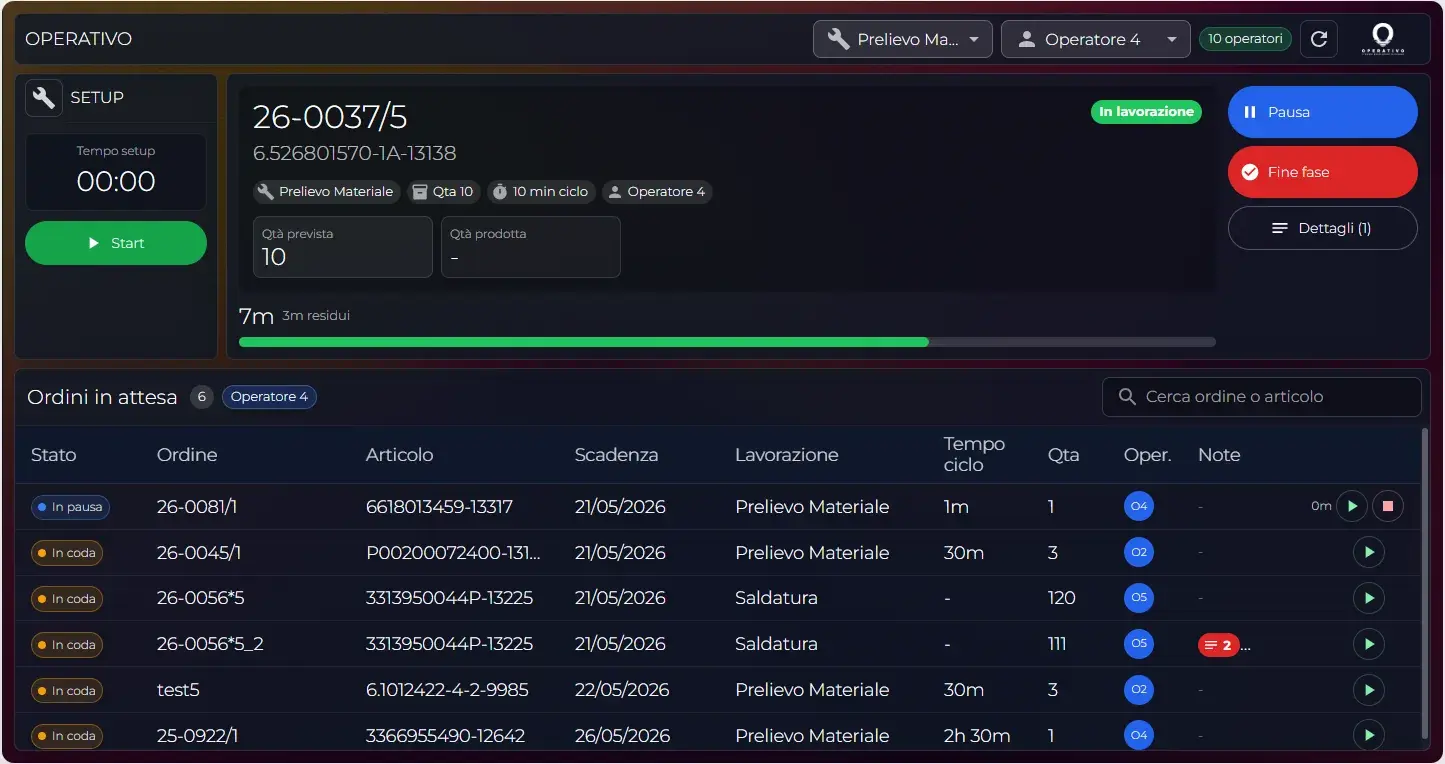
Each operator sees only the operations they can work on: dependencies respected, plan priority, scheduled due date and up-to-date status.
Production MES / Digital shop floor
Operativo brings operations, instructions, materials and controls onto a tablet or browser. Operators advance the work while the system collects actual times, produced quantities, pauses, checklists and data that feed the scheduler, WMS and dashboards.
Live
job queue and operation status
Tablet + web
same flow for the shop floor
Zero paper
digital notes, sheets and checklists
IoT ready
quantities from piece counters
In progress
Live operation
Checklist 4/4
Checks OK
Qty produced
Real data
More than progress updates
The difference is not pressing a button at the end of a job. It is giving operators the right context, preventing incomplete closures and turning every operation into reliable data for whoever plans.
Each operator sees only the operations they can work on: dependencies respected, plan priority, scheduled due date and up-to-date status.
Start, pause, resume and end-of-operation update actual times, order status, the real operator and the workstation.
At closing, the actual quantity is recorded. When needed, the flow also handles partial completions.
Managers and supervisors see orders in progress, active machines, operators at work and progress — without phone calls.
Operator experience
The work screen should not be a compressed ERP. It must say what to do now, which checks are needed and what happens when the operation is closed.
Step 1
The MES filters the queue by machine, operation or operator assignment.
The view opens already on the right context: resource, order and workable operation.
Step 2
The session records the owner, the real start time and the operation status.
From that moment, times, progress and accountability become production data.
Step 3
Pauses stay in the production data and can explain deviations and waits.
The supervisor immediately sees what is stopped, what resumes and where delay builds up.
Step 4
Checklists, produced quantity, reason codes and notes enter the job actuals.
The operation is not closed as a generic tick: it returns to the cycle with real evidence.
Case study
Frizzolinea manages third-party bottling and packaging. With Operativo, the line sends production data directly to the MES, while the scheduler and warehouse connect actual times, changeovers and component availability.
Measuring what happens on the shop floor helps schedule better when all information is connected in a single continuous flow.
Operational quality
The MES does not only collect times. It brings the right documentation to the shop floor and blocks closure when checks, evidence or production data are required.
Checkboxes, text fields, numeric values, menus and mandatory photos prevent closing an operation without evidence.
Reference photos guide the operator; validation photos stay saved on the order operation.
Work instructions, datasheets, attachments and operating guides are readable during the job.
The operation carries materials, picking, staging and real consumption when the WMS is active.
A macro-operation can show internal steps X/N, keeping the queue simple and the shop-floor detail rich.
Delays, material defects, long setups or waits become analyzable data, not messages lost in chat.
Control room
The live overview turns shop-floor activity into an instant read: orders in progress, stopped machines, busy operators, late operations and actuals that explain the deviations.
current operation, item, operator and progress
resources working, idle or late
who is working, where and on which order
planned cycle time vs actual operation time
delays against customer deadlines
MES events on start, completion and closed order
Operator
Works from a clean queue, opens instructions, fills checklists and closes the operation in a few taps.
Shop-floor supervisor
Monitors progress, downtime, queues, operators and issues without chasing verbal updates.
Production manager
Compares plan and reality, sees where delays build up and decides whether to reschedule.
Management
Reads KPIs, efficiency, on-time delivery and operational causes from data collected directly on the floor.
Data that improves the plan
The MES is where the plan meets reality. Actual times and quantities become available to better estimate cycles, read inefficiencies and prepare the next operations.
actual times, pauses, quantities, notes, checklists and real operators
delays, setups, inefficiencies, reason codes and resource utilization
the next plan starts from what actually happened, not from theoretical times
Gradual adoption
Operativo lets you begin from a single workstation or pilot line, activating only the modules needed and expanding as your shop floor grows.
In the initial meeting we analyze how you currently manage orders, progress and operators to identify primary bottlenecks. Afterwards, we can set up a dedicated demo tailored to your actual production flow.