The warehouse that talks to production
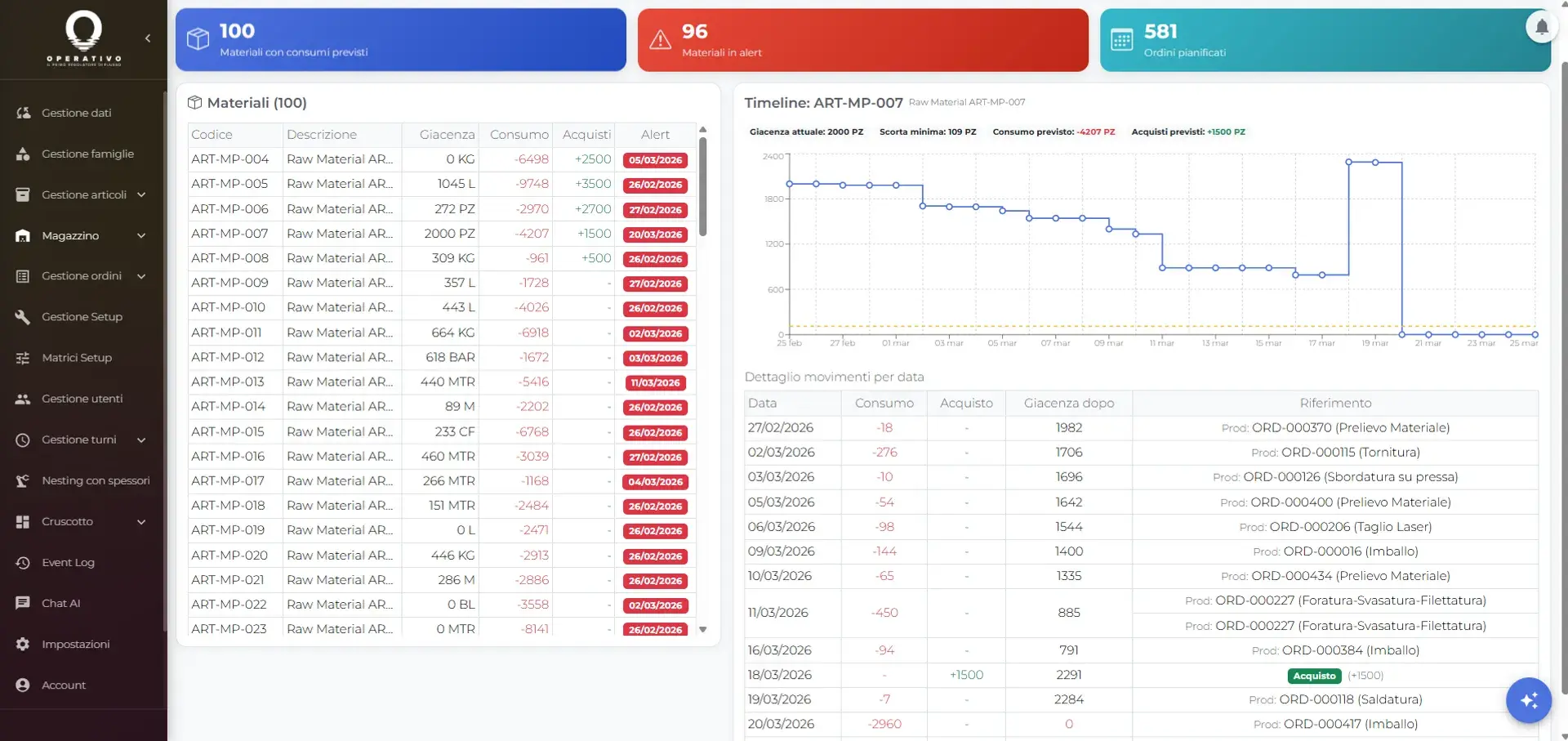
It manages lots, serials, stock, movements and locations. It generates picking lists and staging from the planned orders, anticipates stockouts and updates real consumption by order and operation through the MES.
Inputs, outputs and the boundaries of the WMS
Operativo’s WMS is not a static stock list: it connects materials, scheduling and real production progress.
What it receives
- Orders planned by the scheduler
- Expected dates and production priorities
- Requirements from BOM and job
- Items, units of measure and minimum stock
- Purchase orders and expected availability
What it does
- Checks material availability by order and operation
- Generates picking lists and manages the staging area
- Tracks locations, lots and available serials
- Records receipts, issues, transfers and adjustments
- Projects future consumption and flags stockouts
What it returns
- Material ready for the scheduled operation
- Up-to-date stock and a movement history
- Early alerts on shortages and low stock
- Lots and serials actually consumed
- Material issues linked to MES progress
When the warehouse slows production down
Delays often come not from busy machines but from materials you cannot find
Machine stops for missing material
The machine is ready, the operator is ready, but the components are not there. The plan breaks and half a day is lost.
Stock that never adds up
The system says 50 pieces, you find 12. Manual issues get forgotten and system stock drifts from reality within weeks.
Costly emergency purchases
You discover the shortage when you need the part. Rush orders cost 3-5x more than planned purchasing.
WMS features
Materials, traceability, locations and movements linked to real production orders
Master data and bills of materials
Items with units of measure, minimum stock, BOMs and routings. Import from ERP or Excel, always aligned with production.
Lot and serial traceability
Traceability modes none, lot, serial and lot_serial, with expiring lots, available serials and blocking of inconsistent movements.
Automatic picking lists
Generated from active orders, BOMs and the production plan: what to pick, from where, for which order and which operation.
Location mapping
Aisles, racks, shelves and staging areas with stock aggregated by location. The system tells you where the material is and where to take it.
Predictive requirement alerts
Not just static minimum stock: the WMS projects consumption against planned orders and flags low stock and stockouts in advance.
Automatic issue from the MES
When the MES records progress, the WMS issues real consumption by order and operation, including the lots and serials actually used.
Why the warehouse must be integrated
A standalone WMS creates another data silo. You need a single system.
The scheduler plans
Order X goes on the machine Monday morning. The WMS receives dates, priorities and requirements to check immediately whether the materials are available.
The WMS prepares
It generates picking lists, guides picking by location and moves material to staging. Everything is ready before the operation reaches the floor.
The MES issues
The operator completes the operation, the warehouse deducts real consumption and records movements, lots and serials linked to the order.
Runs on tablets and smartphones
No €1,500 industrial barcode scanners. The warehouse operator uses a €200 Android tablet or iPad.
- ✓Touch-first interface: large buttons, 2-3 tap flows
- ✓Optional barcode: scan with the tablet camera or search by code
- ✓Training in half a day: the warehouse operator learns in a few hours
- ✓Works offline: operations sync when the connection is back
Tablet, smartphone or PC
No dedicated hardware required
Standalone WMS vs integrated WMS
The difference between an isolated system and one that talks to production
| Standalone WMS | Operativo WMS | |
|---|---|---|
| Material requirements | Static minimum stock | Calculated from planned jobs |
| Picking lists | Manual or on request | Automatic from the production plan |
| Material issue | Manual declaration | Automatic on MES progress |
| Alerts | When stock drops below threshold | Predictive: “X will run out in 5 days” |
| Production integration | API/connectors to maintain | Native, same database |
| Hardware | Dedicated barcode scanners | Tablet/smartphone + camera |
| Implementation | 2-6 months | 1 week (with MES and scheduler) |
Ready to connect warehouse and production?
See how Operativo integrates WMS, scheduler and MES in a single platform